Browser protection for teams

Give your team an additional safeguard on the AI websites they already use.

Help protect sensitive information across supported AI websites, with central visibility and controls alongside your existing policies. Everything on this page, the invite code, the seats, the settings and the dashboard, manages browser protection seats today.

Already using enterprise AI?

Protection that follows the employee.

Your approved enterprise AI account provides valuable controls. But those controls don’t automatically follow your team into other AI tools or personal accounts.

Example company setup.

Guard4AI adds a safeguard across supported AI websites in the browser.

Details it detects and can replace are swapped for realistic stand-ins on the device. Other detected information is flagged for review before anything is sent.

Alongside your enterprise AI account, not instead of it. See how it works Review security & data handling

For your staff

Nothing new to learn.

People keep using the AI websites they already use. Guard4AI only speaks up when a message contains something it should not.

  1. 1

    Type as normal

    In ChatGPT, Claude, Gemini or another supported AI website. No new app, no sign-in.

  2. 2

    A review, only when needed

    If something sensitive is in the message, a panel shows what was found and why. Mask & Send, Mask & Edit, Manual mask, or Send anyway.

  3. 3

    Real details in the reply

    The AI answers the stand-ins. The employee reads the answer with their own details back in place.

The dashboard

What you actually get.

The real admin view: counts, categories, and who is on each seat. Never a word of what anyone typed.
guard4ai.com/dashboard
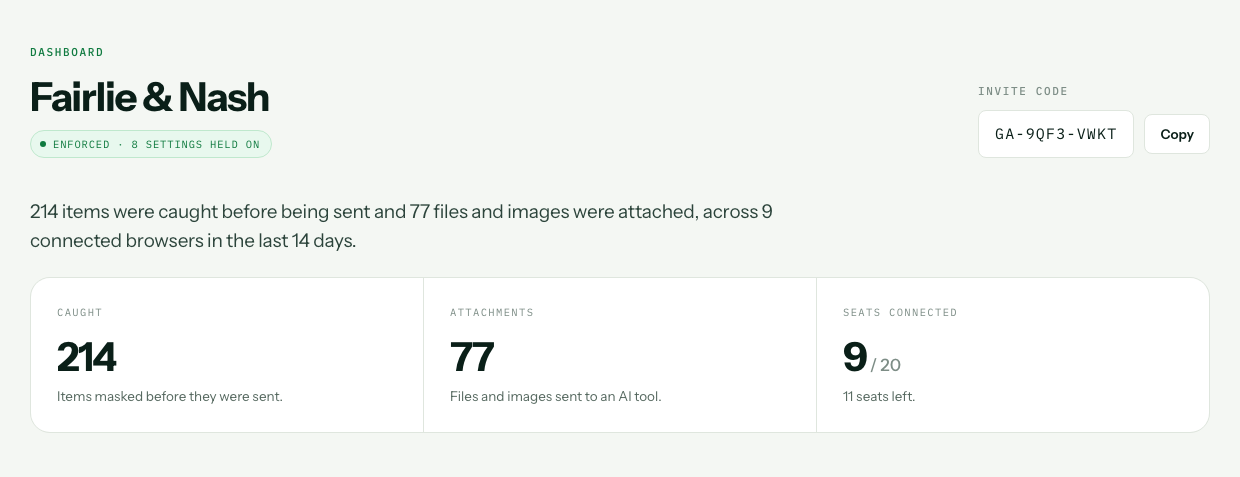
  • The top of the dashboard for a firm called Fairlie and Nash: the invite code, an enforced badge reading 8 settings held on, and three figures. 214 caught, 77 attachments, 9 of 20 seats connected.
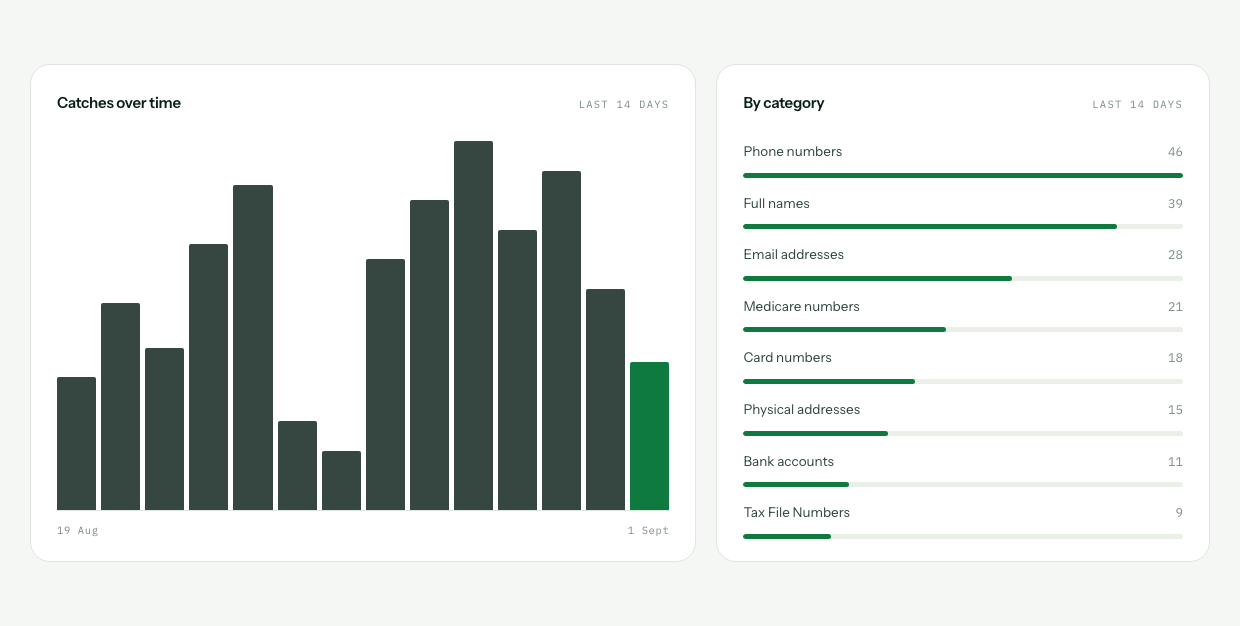
  • Two panels. A fourteen day bar chart of catches, and a category breakdown led by phone numbers, full names, email addresses and Medicare numbers.
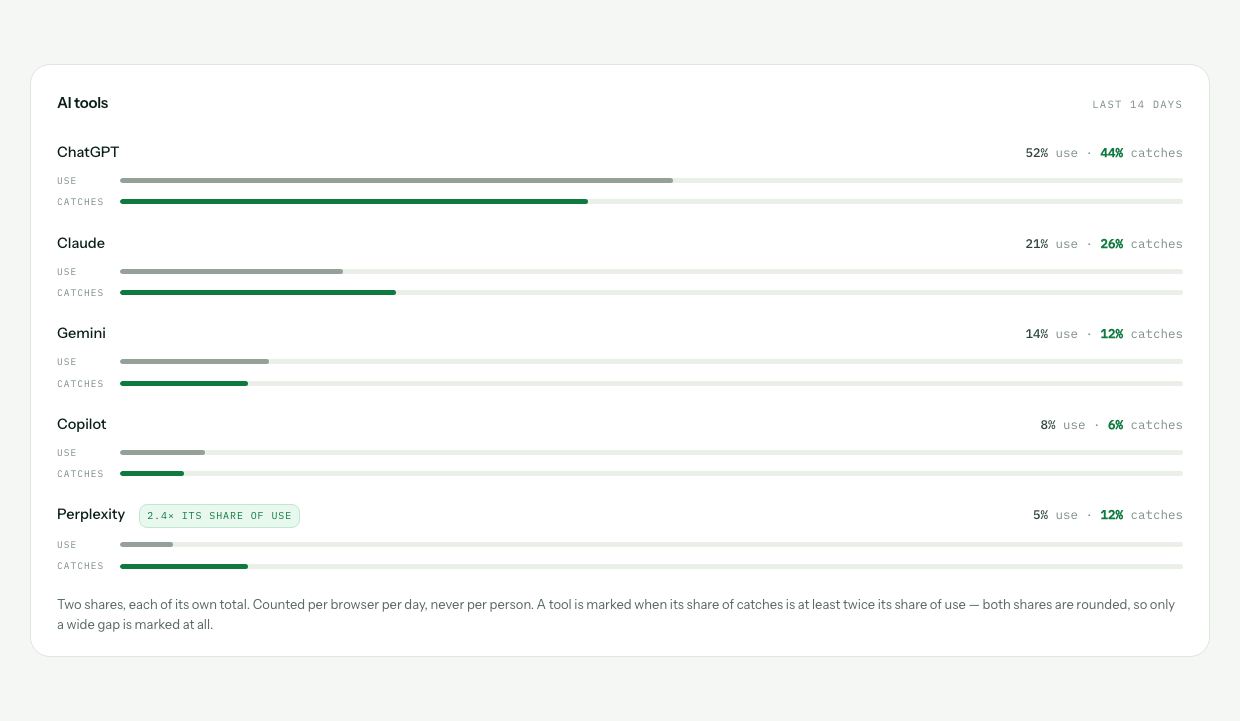
  • An AI tools panel listing ChatGPT, Claude, Gemini, Copilot and Perplexity. Each has a use share and a catch share. Perplexity is marked 2.4 times its share of use.
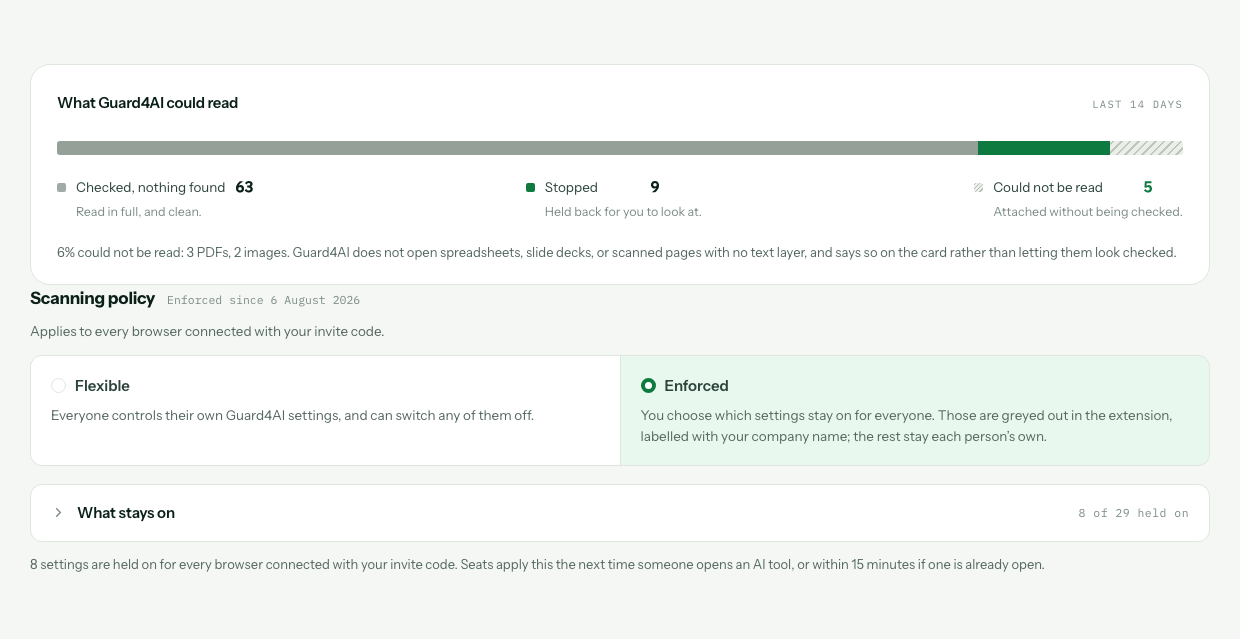
  • An attachments bar split into checked, stopped and could not be read, noting 6 percent could not be read. Below it the scanning policy set to Enforced with 8 of 29 settings held on.
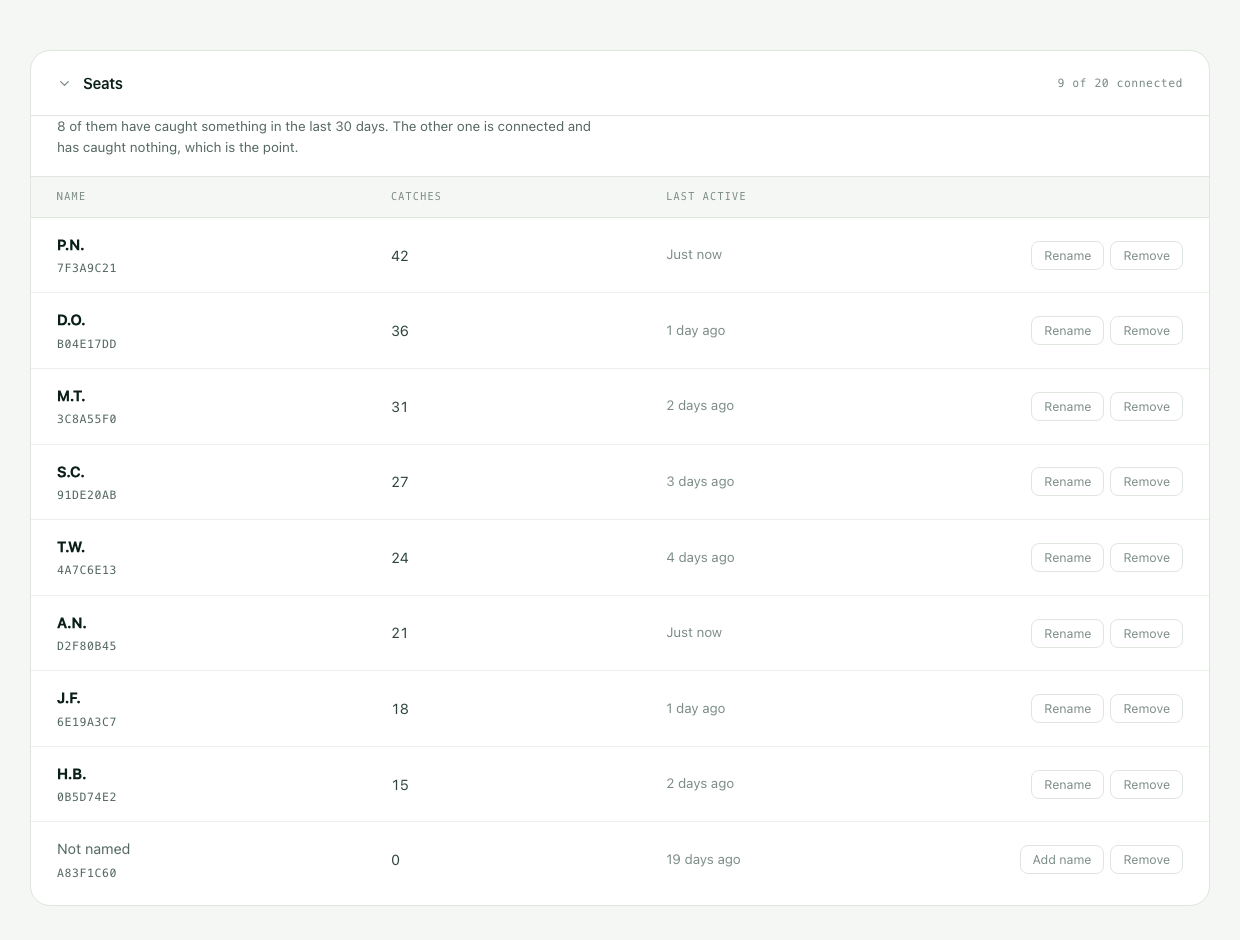
  • A seats table listing nine people, each with a short seat id beneath, a catch count, a last active time, and Rename and Remove buttons. Names appear as initials in this screenshot only; the dashboard itself shows them in full.
1 / 5 The headline numbers What was caught, what was attached, and how many browsers are connected.
What the numbers mean
Caught How much sensitive data was about to leave, over the last fourteen days.
Attachments How many files and images went out, and how many could not be read at all.
By category Medicare numbers, card numbers, client names. What kind, not which.
Seats Who is covered, by name, one seat per browser.
The rollout

Up and running in one afternoon.

01 You create the company account.

One email, one password. Two minutes.

02 You get one invite code.

The same code for everybody. It does not expire.

03 Staff paste it into the extension.

That is the whole install. They never sign in to anything.

No IT project. No per-machine deployment. No policy rollout.

Desktop workspace · early access

Rolling out the Guard4AI workspace too?

The desktop workspace, in early access, brings ChatGPT and Claude models into one app, with the same review before anything is sent. It runs on macOS on Apple silicon, and each person adds their own OpenAI or Anthropic API key.

The part that matters

You see that something was caught.
You never see what it was.

What you see
  • That a catch happened
  • Its category, and the site it was on
  • Which seat, and when
  • Which AI tools are used
  • The broad type and outcome of an attached file
What you never see
  • The name
  • The number
  • The message it sat in
  • Any of the text
  • A file’s name or contents

Detection runs on your employee’s own device. Only the privacy-safe metadata needed for seats and reporting leaves it: seat identity, detection category and site, tool usage, and broad attachment outcome. Never the message, the original value or the filename. We could not show you their data if you asked.

This is the part that decides whether people work around the tool or forget it is there.

One invite code away.

Create the company account, share the code, and the dashboard starts counting. Fourteen days free on any plan, and your card is not charged until day fifteen.